
All featuresLedger
What you spend is part of your day, too
A separate budgeting app rarely lasts more than a few days. Note today's spending while you're already in the app to write your diary, and it sticks.
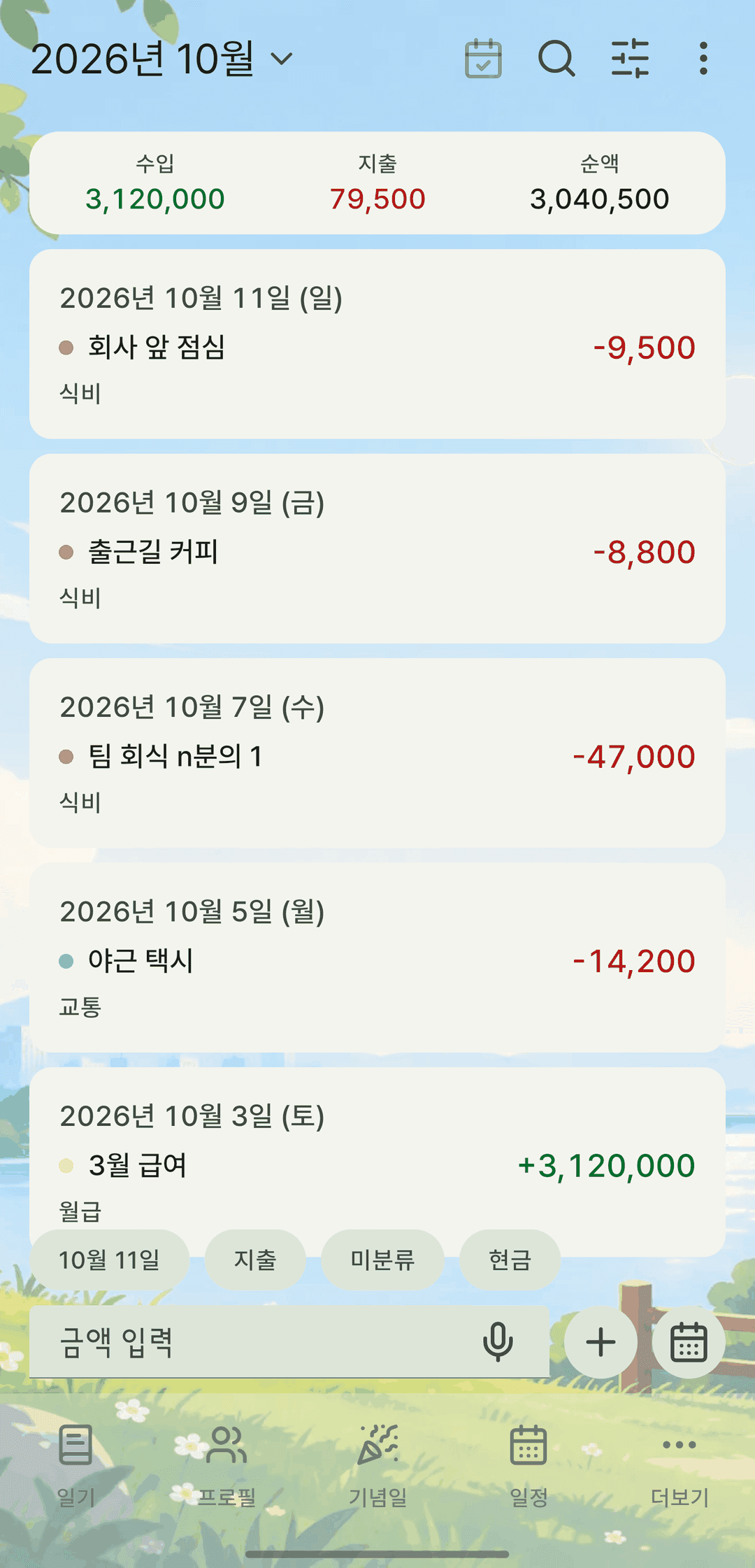
Screens are shown in Korean. The app itself is fully available in English.
Amount, date, category, note — and a receipt
Record income and spending and attach a photo of the receipt. Create and manage your own categories.
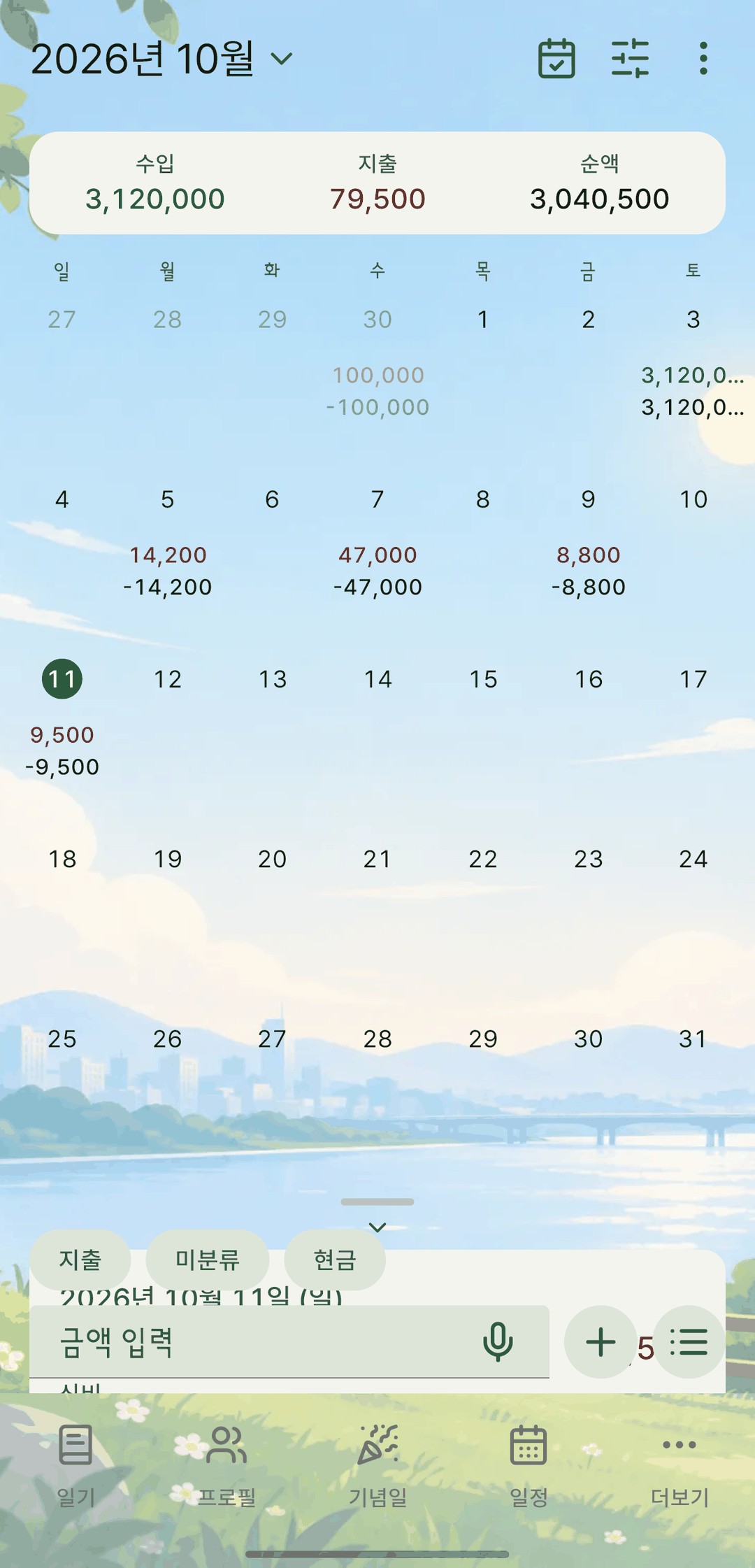
List and calendar
Skim the list or use the calendar. The calendar shows the amount on each day, with this month's income, spending and net at the top.
Narrow by period
Narrow to week, month, year or all time — the same period chips used in the diary and events tabs.
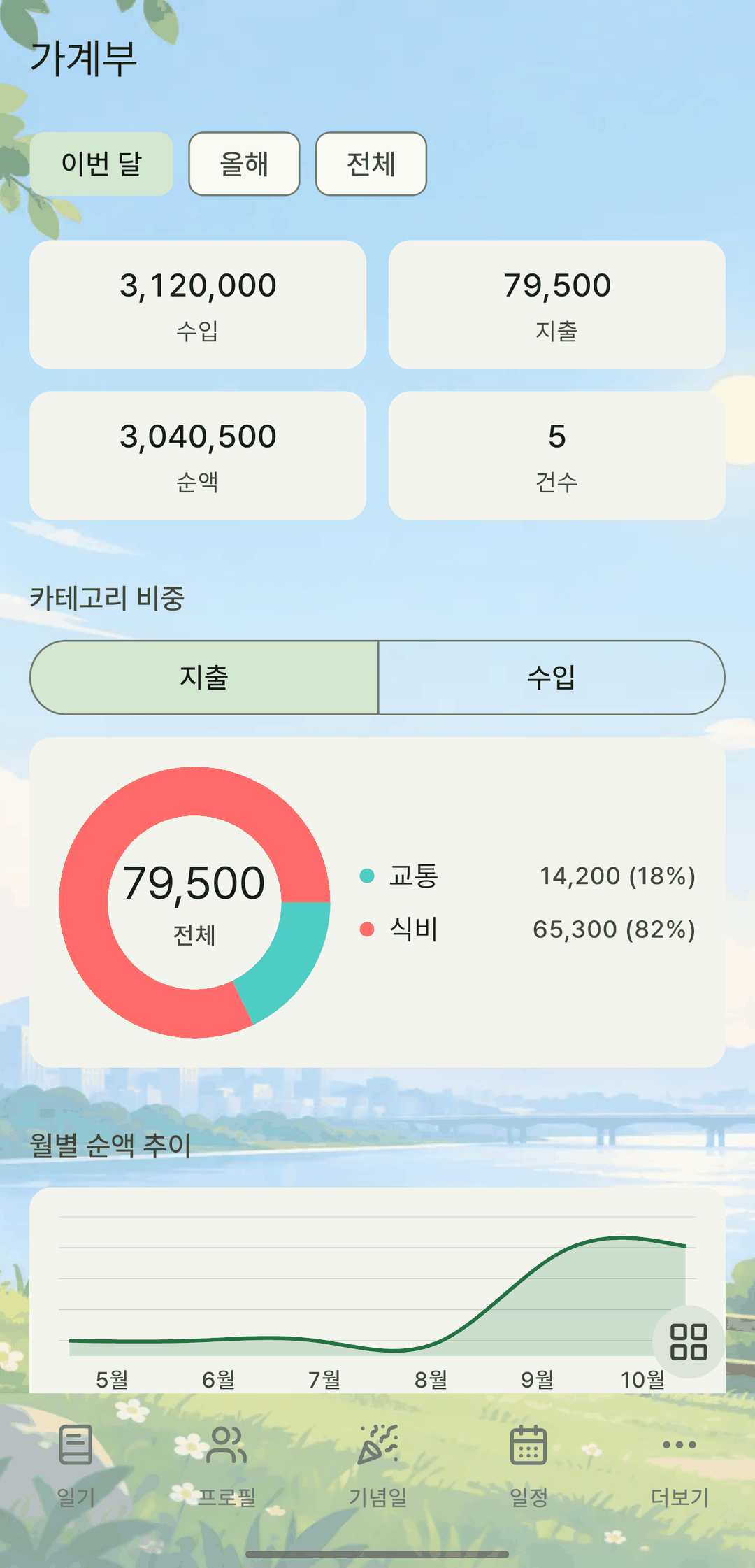
Category shares and monthly trends
Open ledger stats from More to see how much went where by share, followed by how it changed month to month.
It also does this
- Search finds ledger entries, too.
- Everything goes into your backup, and backups with photos (zip) include the original receipts.
- In the backup viewer, filter by income, spending and category, and entries with receipts show thumbnails.