
Routines where you can see yourself keeping going
When you can see how many days you've kept it up, you do one more. The whole week shows in one line, without opening anything.
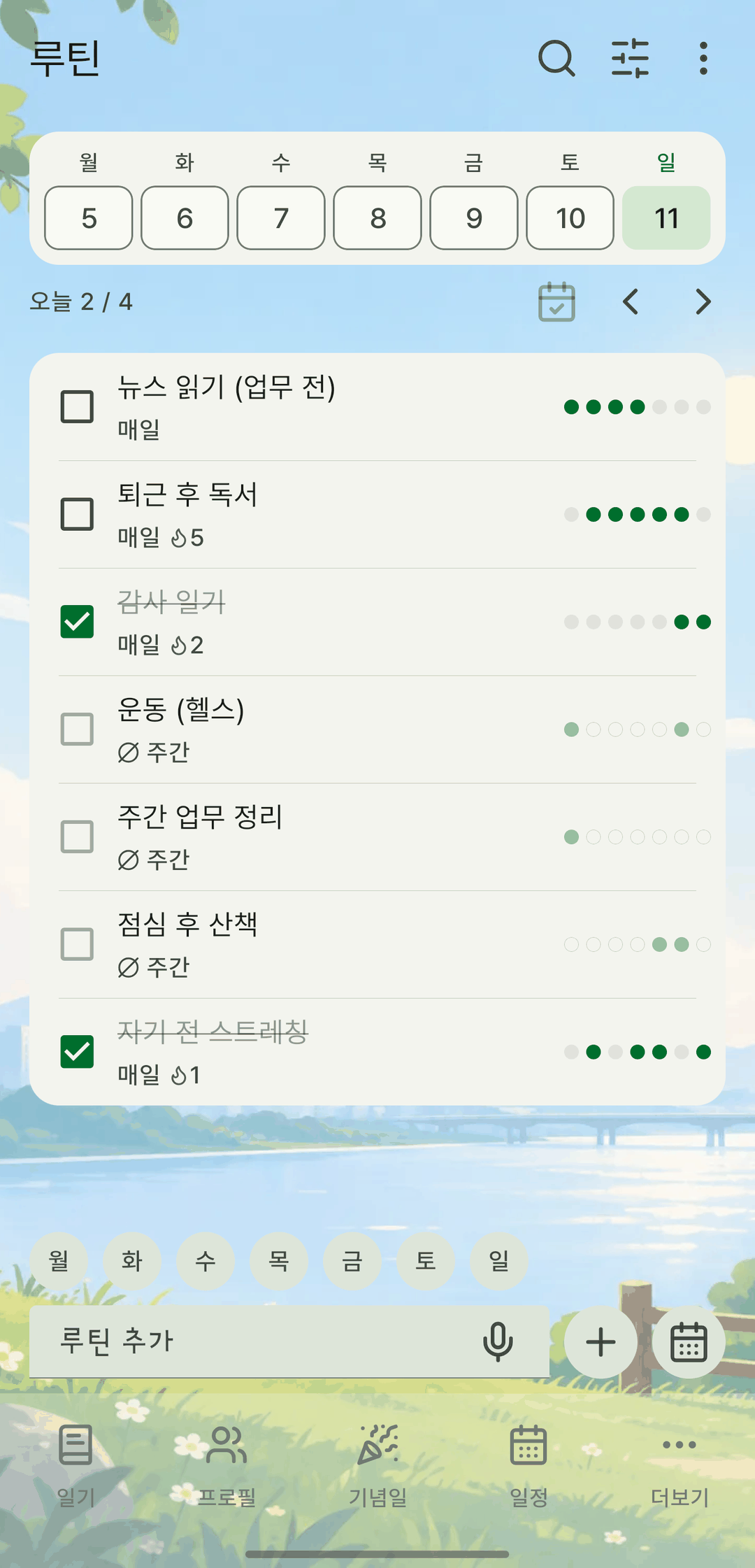
Screens are shown in Korean. The app itself is fully available in English.
The week in one line
This week's dates sit at the top of the tab, and each routine gets seven dots for Monday to Sunday on the right. Streaks show as a 🔥 number. Pick a past date to check things off for that day, so you can catch up on what you missed yesterday.
Daily goal and unit
Set a daily goal and unit, like '8 glasses of water' or 'read 30 minutes'. Each tap of + in the list adds one, and it turns done when you hit the goal. Fix a mistaken count on the detail screen.
Days, end date and target count
Choose the days, and add an end date or a target count if you like. Reach the target and it's marked 'Achieved' and drops out of today's list and reminders. Past completions stay as they are.
List and calendar
Check off today's routines in the list, or see the month in the calendar. Each day shows its progress as a %, and fully completed days are highlighted.
Weekly, monthly and yearly stats
In weekly stats, tap a cell to toggle that day's completion, with each routine's rate for the week. The Yearly tab shows a year of records per routine, with completion counts and rates at a glance.
It also does this
- Changing a routine's days doesn't erase past completions from the heatmap — they're shown in a lighter color. Rates and streaks are calculated on the current settings.
- The home widget and the Android routine widget show progress too, and you can add +1 from them.
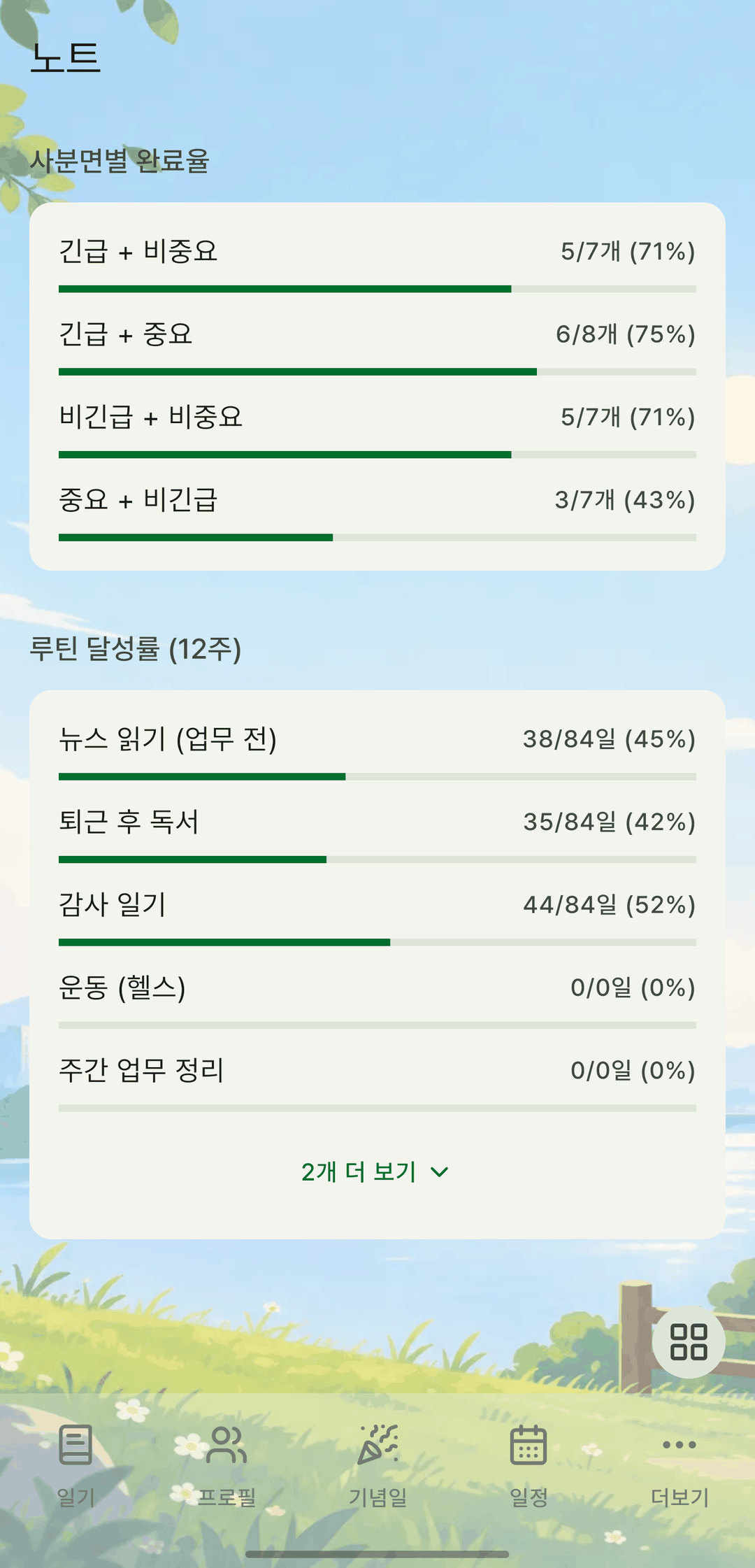
- The Notes screen in stats shows each routine's completion rate over the last 12 weeks as bars, alongside memos and to-dos.
- Pick an end date before the start date and the form tells you right away.