
All featuresTo-dos
Urgent and important, kept apart
The longer the list, the harder it is to know where to start. Put urgency and importance on two axes and the order becomes clear.
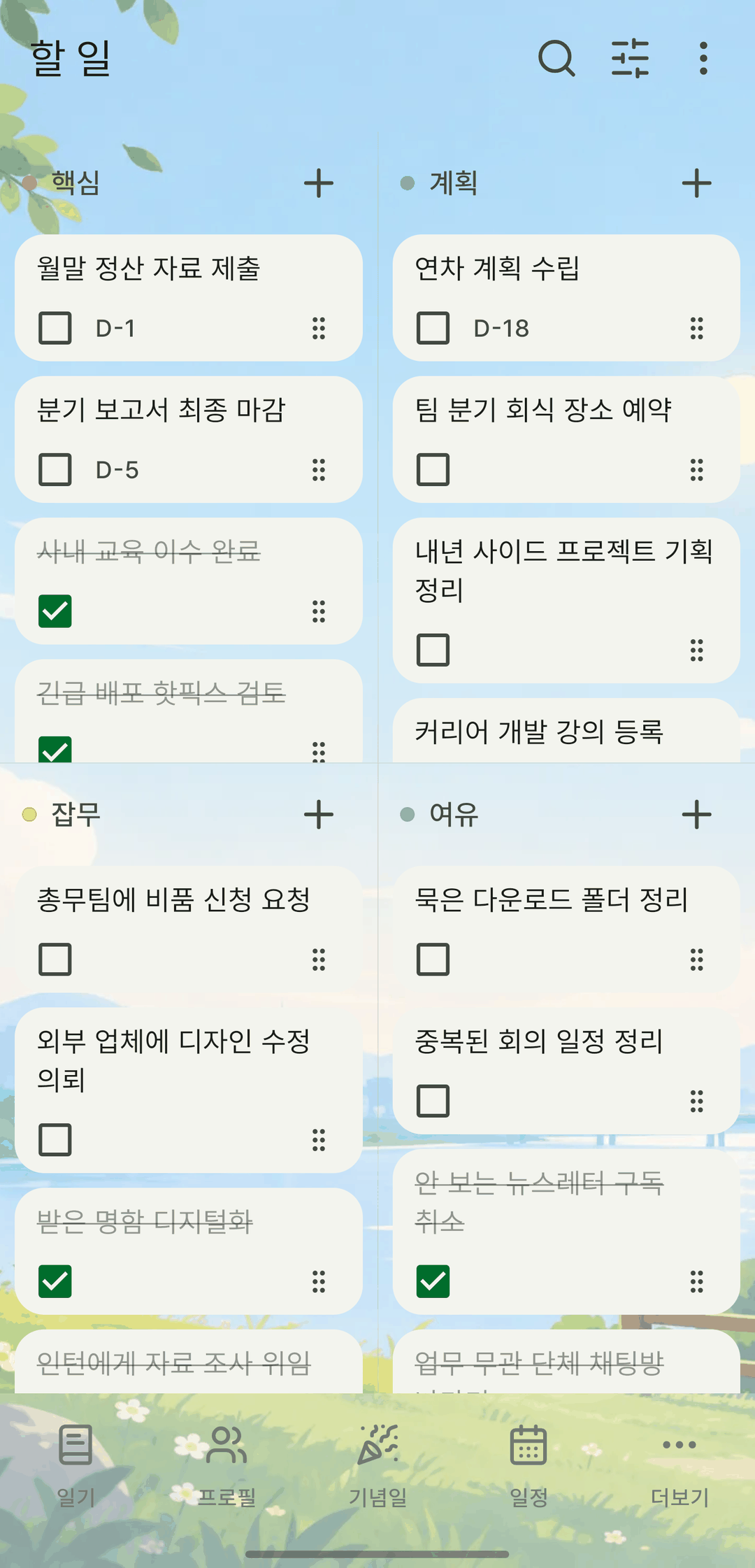
Screens are shown in Korean. The app itself is fully available in English.
Four boxes
Place tasks in do now, plan, delegate and drop, based on urgency and importance. Or see everything at once on the All tab.
Deadlines and reminders
Set a deadline and get a reminder at the time you choose. Record or edit a task and its reminder is rescheduled right away.
Turn it into a routine
Turn a to-do that keeps coming back into a routine, so you don't have to write it again each time.
It also does this
- Paste several lines to add them all at once.
- Check items off right from the home screen widget, without opening the list.
- Tapping a reminder takes you straight to that to-do.